Replacing an image on this portfolio used to take a conversation. I would describe the picture, the agent would search the repository for the file and the MDX tag that used it, and I would check that it had found the right one. Cropping, repositioning or rewording a caption meant the same search again.
The edit was never the hard part. Finding where the thing on screen lived in the code was, and I was paying for that search on every small change.
Why the search was the slow part
Media on this site sits several layers from what a visitor sees. next/image serves rewritten URLs, the copy lives in MDX, and the files live under public/. From a screenshot, an agent has to work backwards: match a class name or a caption, narrow the candidates, then pick one. It usually picks correctly, but I still had to confirm it.
When I compared tools in July 2026, Cursor's in-editor browser could take me from a selected element to nearby source much more directly than a terminal agent working from a screenshot. That was useful for code-level styling. It did not help with the edits I repeated most, which were about media files and content props.
The menu
So I had Claude Code build the lookup into the dev server once. On localhost, right-clicking an image opens a menu that already knows its source file and the MDX tag that places it:
- Reveal or open the real file.
- Replace it with a local file. The new file's type is checked from its bytes, and MDX references are rewritten when the name changes.
- Copy its relative or absolute path.
- Set rounded corners, fill type and fill position, which write props on the tag.
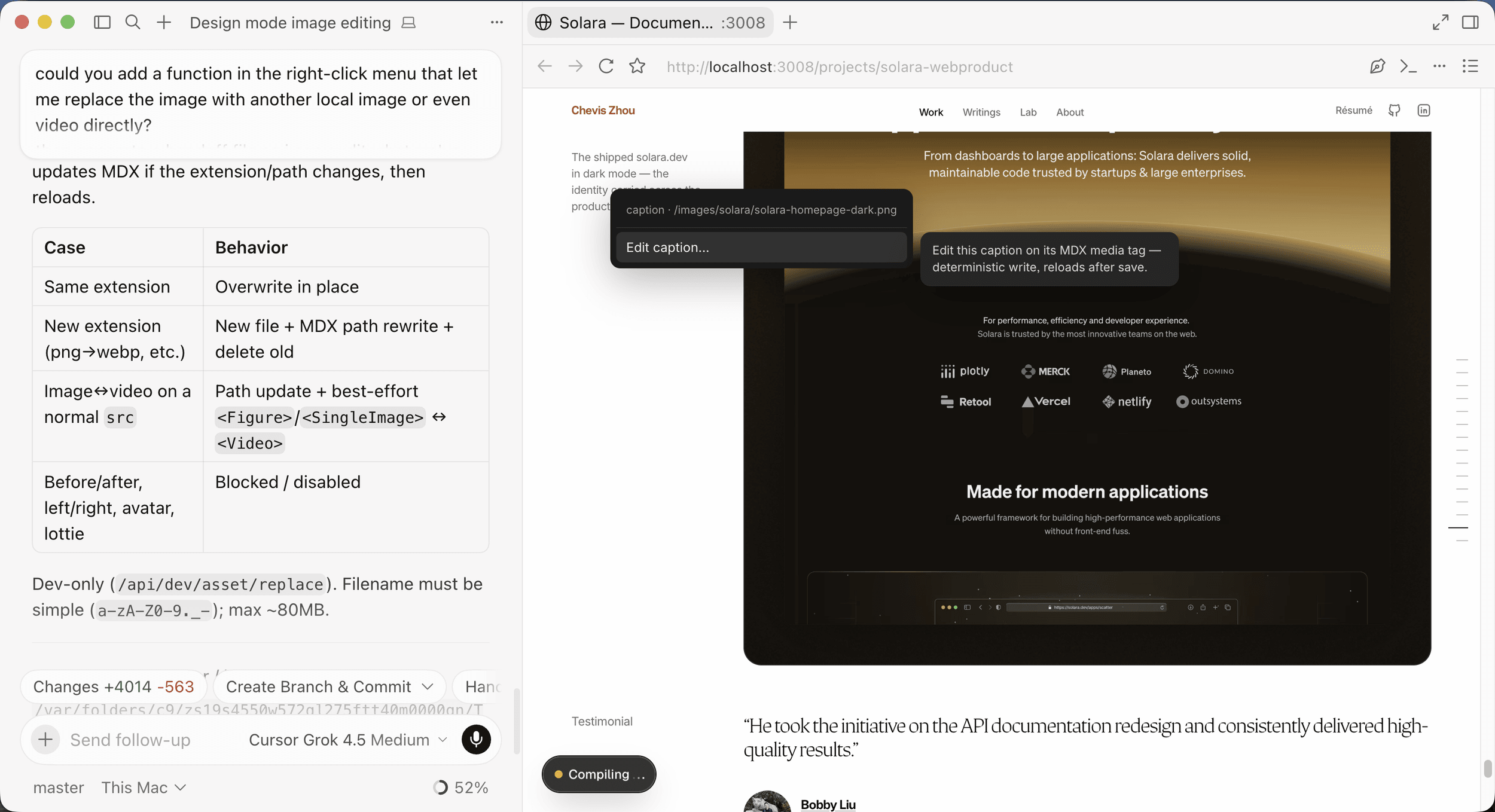
- Edit a caption, or the headline and lede in a study's frontmatter.
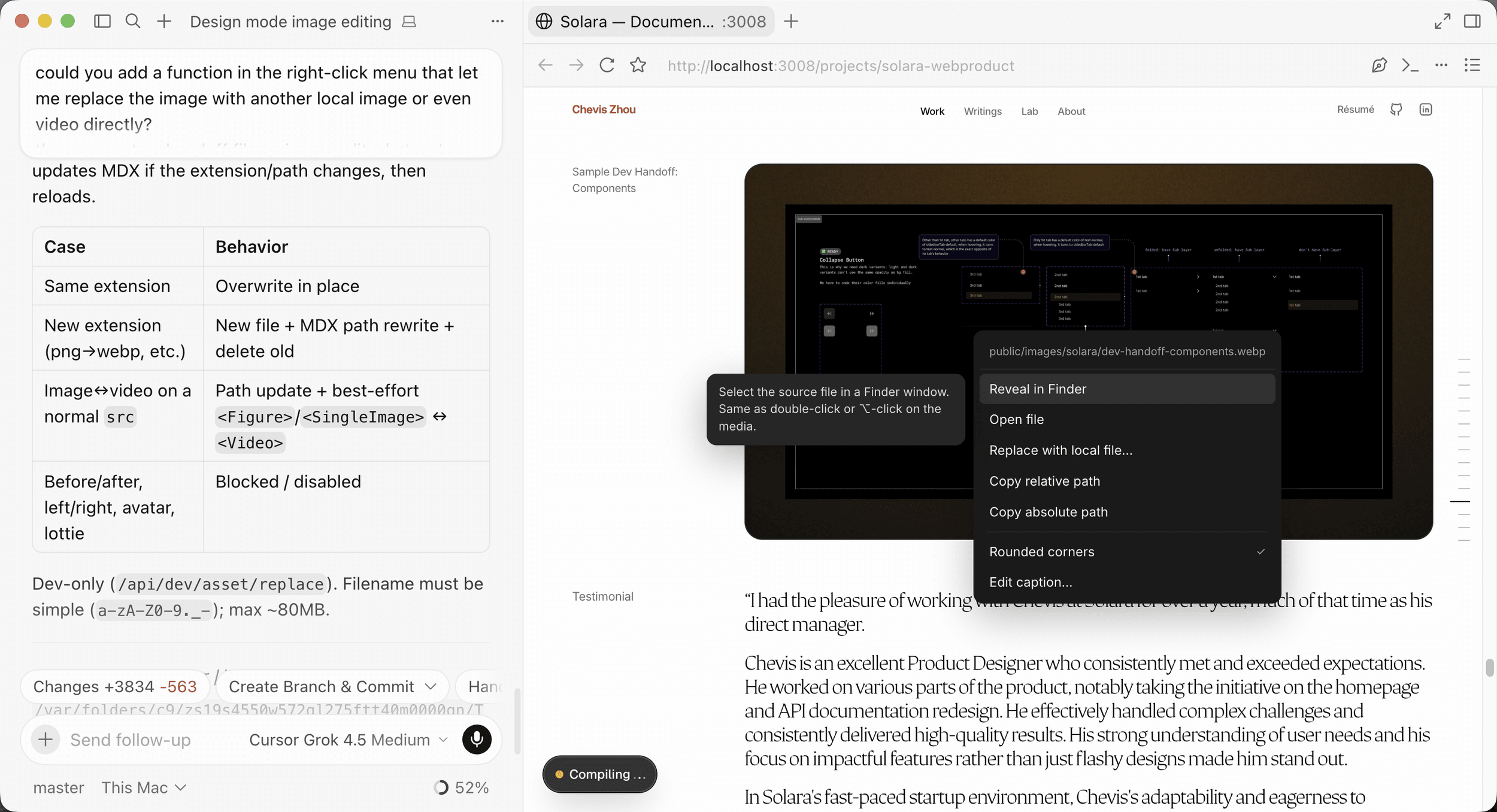
Every action is a deterministic write limited to an allowlist of props and fields. No model runs when I use the menu. A file watcher pushes replaced images and edited MDX to the open page, so the change appears without a manual reload.
Keeping it local
The menu only exists in development. Its routes return 404 in production and reject cross-origin and local-network requests, so the ability to write files never reaches a deployed page. Every edit it makes is an ordinary change in git, reviewed in the same diff as anything an agent or I wrote.
What changed
Routine media work no longer needs an agent. Replacing a screenshot, changing its fit or fixing a caption is one gesture, and the result is visible immediately. The agent's time goes to work that is not tied to a single visible element, such as a new content component or a change across several files.
The broader habit is the one I kept: when I ask an agent to repeat the same lookup, I look for a small tool that removes the lookup. Here, one build replaced a conversation I had been repeating for every image.